
Payouts
Setting Up Wise
CollabPay now supports Wise as a payment method, allowing store owners to send payouts to their collaborators directly through their Wise business profile.
To get started, the store owner needs to connect their Wise account to CollabPay. Once connected, collaborators can link their Wise accounts to receive payments.
Follow the steps below to set up Wise for your store.
Part 1: Connect Wise to CollabPay
Before connecting Wise to CollabPay, make sure you have a Wise account with a Business profile. If you don't have one, you can create a business profile within your existing Wise account.
Step 1: Create a Wise Personal API Token
First, generate a Personal API token from your Wise account.
This token allows CollabPay to initiate money transfers to your collaborators on your behalf.
If you need help creating an API token, refer to Wise's official documentation here.
Important: You can revoke your API token at any time from your Wise account. You can also disconnect Wise directly from CollabPay.
Step 2: Open Wise Settings in CollabPay
- Log in to your Shopify store.
- Navigate to Apps → CollabPay.
- Open Settings → Payouts - Sending payments.
- Scroll down to the Wise section.
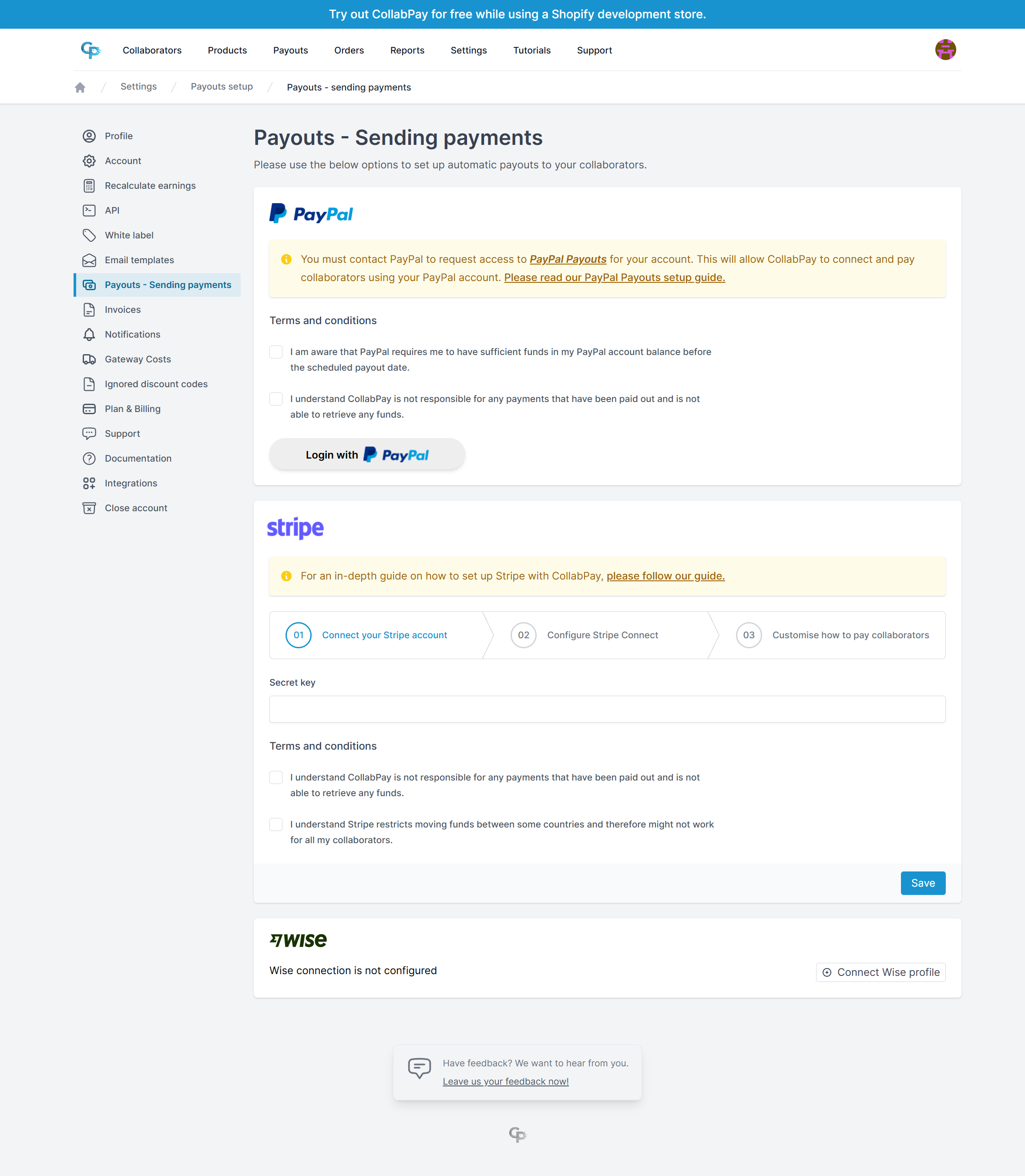
Step 3: Connect Your Wise Account
- Click the Connect Wise profile button.
- Paste your Wise Personal API token into the provided field.
- Click Load Profiles.
CollabPay will retrieve the available profiles associated with your Wise account.
Note: It may take a few seconds for your profiles to load. If no profiles appear, double-check that your API token is correct and try again.
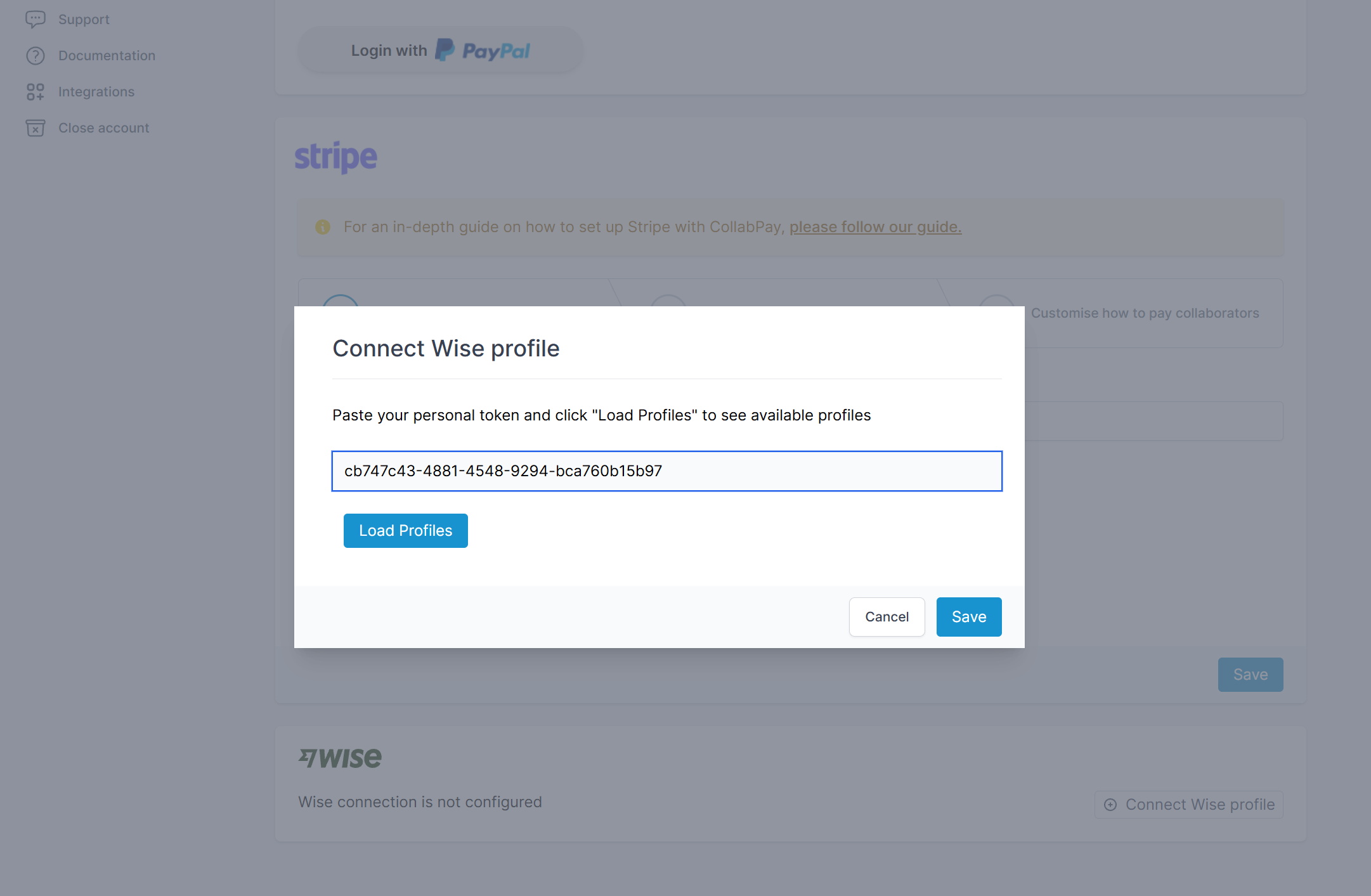
Step 4: Select Your Business Profile
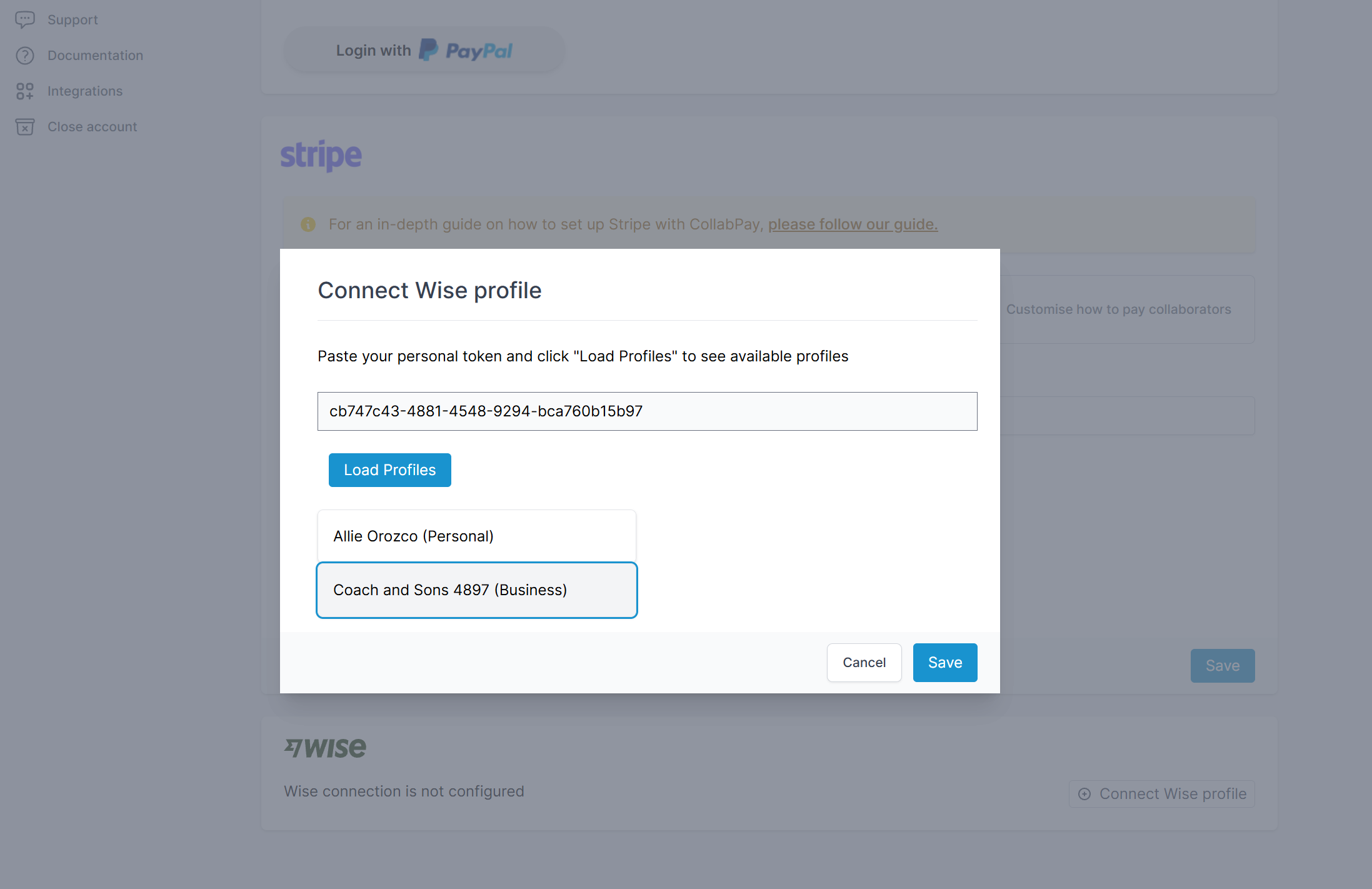
Once your profiles are loaded:
- Select the Wise Business profile you want to use for sending collaborator payments.
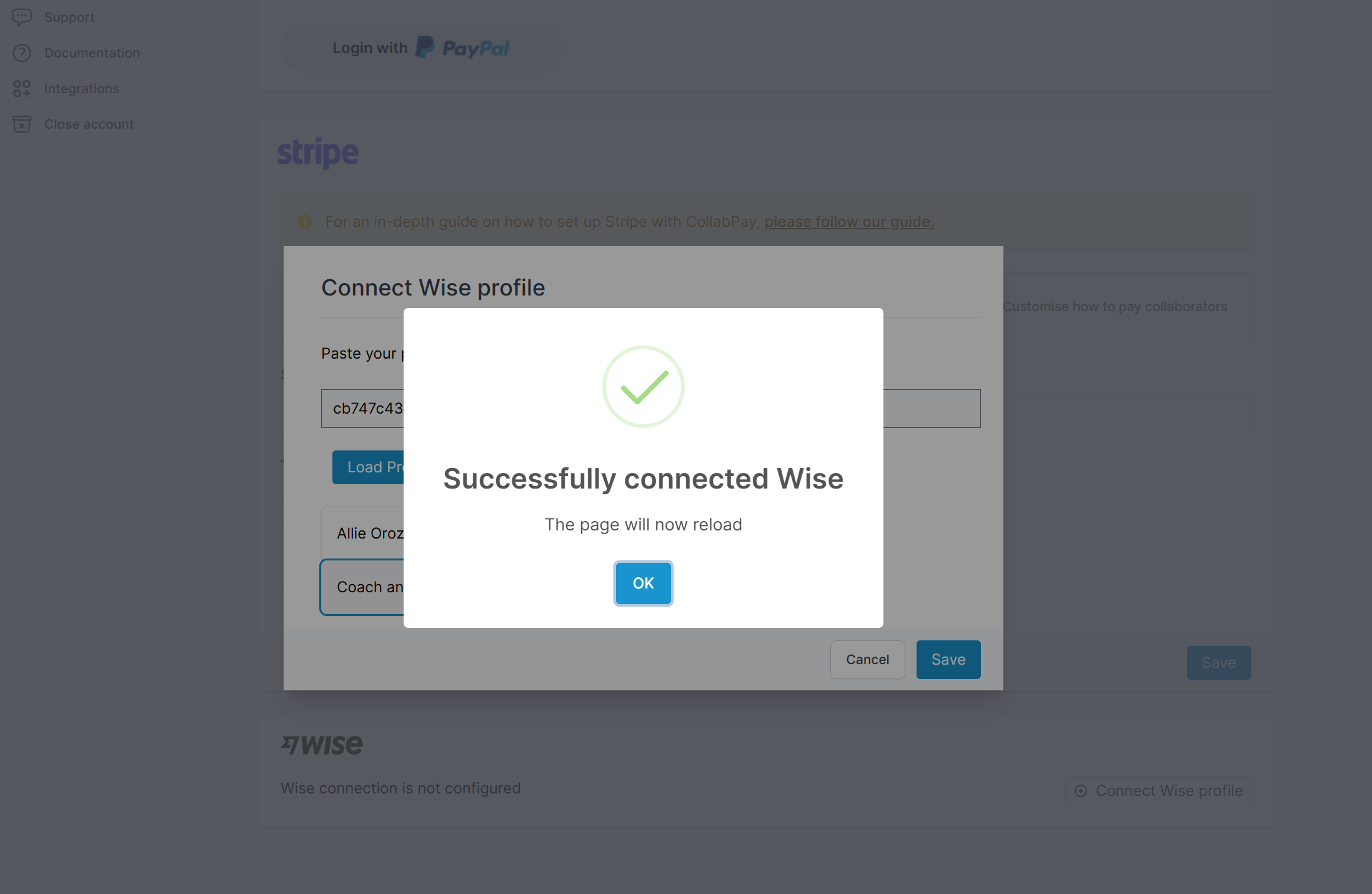
- Click Save.
The page will reload.
If the connection is successful, your selected Wise profile should display an Active status in the Wise section.
Your Wise account is now connected to CollabPay!
- Previous
- Setting up Stripe
- Next
- Manual payouts