
For Collaborators
Getting Paid via Wise
Connect Wise to Receive Payments
You can connect your Wise account by creating a recipient account linked to your store owner's Wise Business profile.
Follow the steps below to get started.
Step 1: Open Your Payment Settings
- Log in to your CollabPay collaborator account.
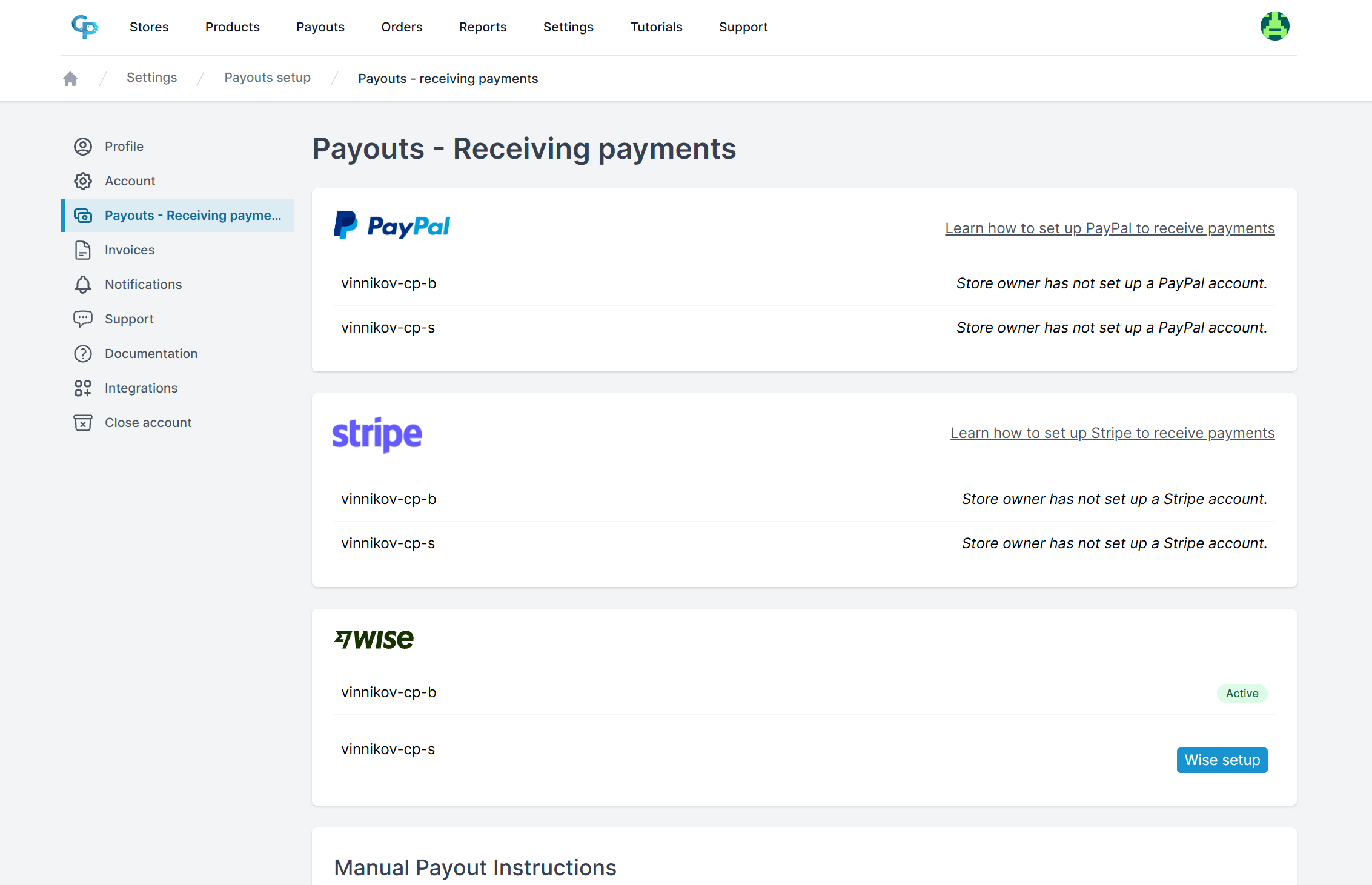
- Navigate to Settings → Payouts - Receiving payments.
Step 2: Find Your Store
Scroll down to the Wise section and find the store you want to receive payments from.
Click the Wise setup button next to the store.
Step 3: Create Your Wise Recipient Account
After clicking Wise setup, you will be redirected to Wise.
Follow the instructions on the Wise page and complete the required details to create your recipient account.
Once you finish the process, you will be redirected back to CollabPay.
Step 4: Verify Your Connection
After returning to CollabPay, check the Wise section.
If the setup was successful, your Wise connection should display an Active status.
That's it! Your Wise account is now connected, and you're ready to receive payouts through Wise.
Important Things to Know
- Your store owner must connect their Wise Business profile to CollabPay before you can complete your Wise setup.
- You need to complete the recipient setup for each store you want to receive Wise payments from.
- The store owner may use another available payment method if you have one configured. Wise is not necessarily selected for every payout.
- Previous
- Getting paid via Stripe
- Next
- Products